The Problem#
Three Tapo C200 cameras feed into Frigate for recording and person detection. The live feeds show up fine in Home Assistant, but the PTZ controls — Pan, Tilt, Zoom — are trapped inside the Tapo app. The C200 is a motorized camera that can physically rotate left/right (pan) and up/down (tilt), but the only way to control that was pulling out my phone.
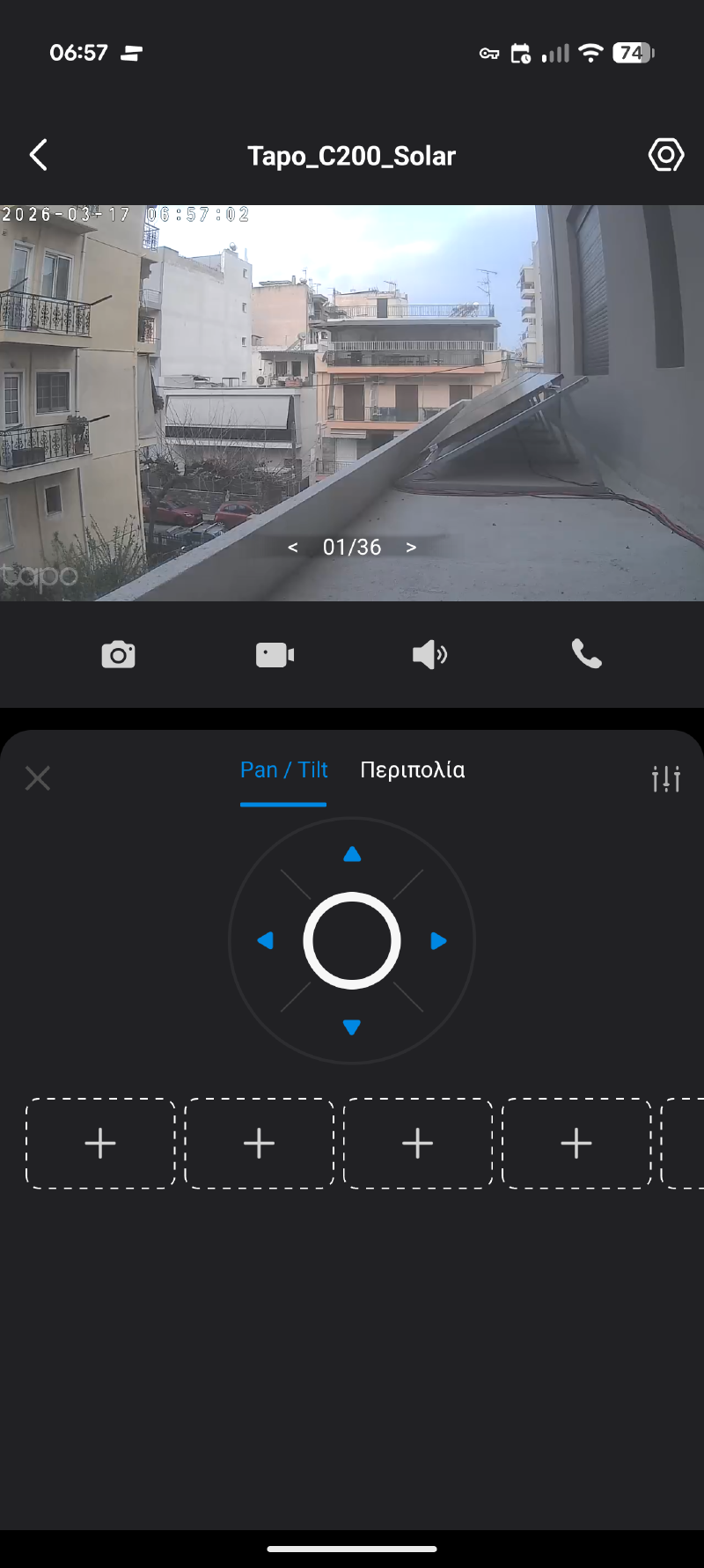
Frigate consumes RTSP streams for recording and detection — it doesn’t know or care about camera movement. I needed something to bridge the gap.
The Solution#
The Tapo: Cameras Control HACS integration connects to each camera’s local API and exposes button entities for movement — move_up, move_down, move_left, move_right. The Advanced Camera Card can overlay PTZ controls on the live feed and call those buttons.
Frigate handles video. Tapo integration handles controls. They don’t step on each other.
Setup#
1. Install & Configure#
Install Tapo: Cameras Control from HACS, then add each camera under Settings → Devices & Services.
| Field | Value |
|---|---|
| IP Address | Camera’s static IP |
| Port | 443 (default) |
| Camera credentials | Your camera account (set in Tapo app → Advanced Settings → Camera Account) |
| Cloud password | Your Tapo app login password |
Two gotchas:
- Enable Third-Party Compatibility first: Tapo App → Εγώ → Tapo Lab → Third-Party Compatibility → On
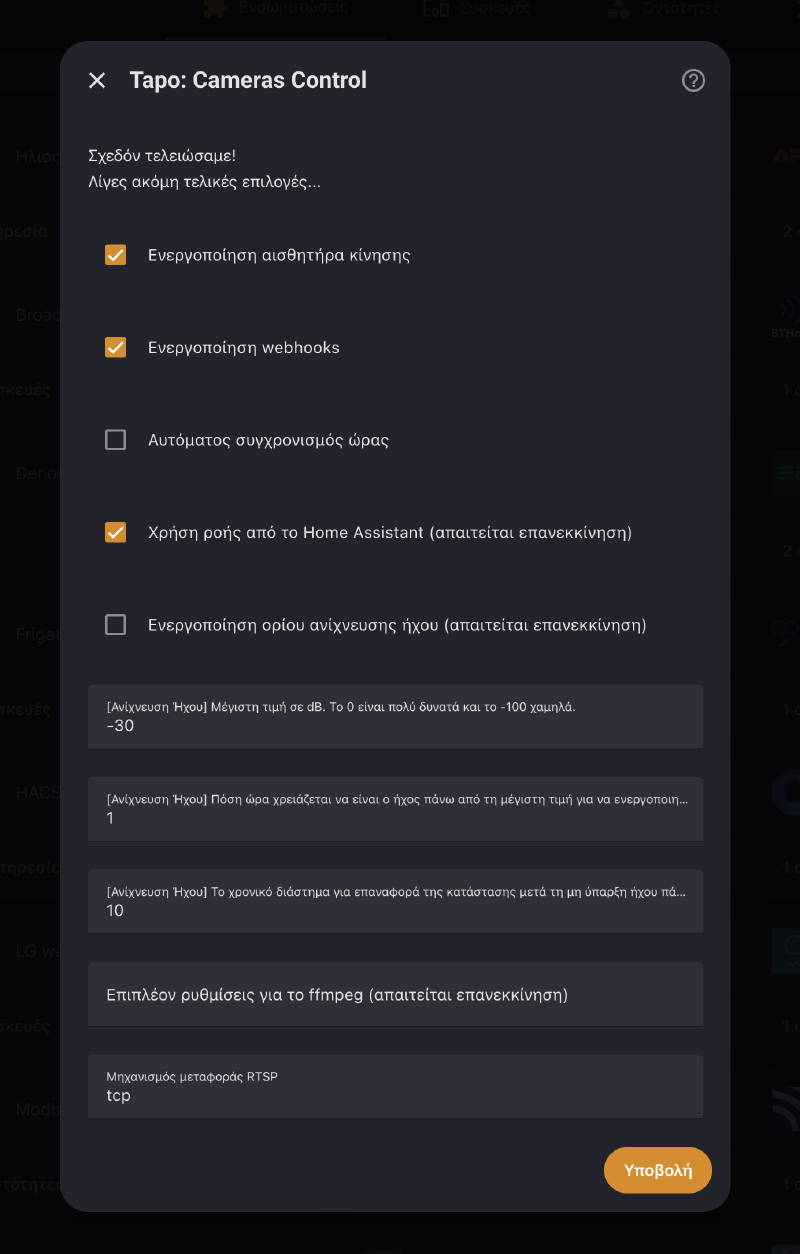
- Check “Skip RTSP” and uncheck “Use stream from HA” — Frigate already owns the streams
2. Find Entity IDs#
Developer Tools → States, filter for button.tapo. Each camera gets four movement buttons:
button.tapo_c200_solar_move_up
button.tapo_c200_solar_move_down
button.tapo_c200_solar_move_left
button.tapo_c200_solar_move_right
The prefix varies per camera — some use the friendly name, others a MAC suffix.
3. Add PTZ to the Dashboard#
The Advanced Camera Card needs PTZ configured in two places: actions under cameras[].ptz and visibility under live.controls.ptz. Miss the second and the controls exist but are invisible.
type: custom:advanced-camera-card
cameras:
  - camera_entity: camera.eisodos
    ptz:
      actions_left:
        action: perform-action
        perform_action: button.press
        data:
          entity_id: button.tapo_c200_xxxx_move_left
      actions_right:
        action: perform-action
        perform_action: button.press
        data:
          entity_id: button.tapo_c200_xxxx_move_right
      actions_up:
        action: perform-action
        perform_action: button.press
        data:
          entity_id: button.tapo_c200_xxxx_move_up
      actions_down:
        action: perform-action
        perform_action: button.press
        data:
          entity_id: button.tapo_c200_xxxx_move_down
live:
  display:
    mode: grid
  controls:
    ptz:
      mode: "on"
      position: bottom-right
      hide_zoom: true
      hide_home: true
tap_action:
  action: fullscreen
dimensions:
  aspect_ratio_mode: dynamic
  aspect_ratio: "16:9"
  height: 250px
mode: "on" is critical — the default auto only shows controls for cameras that natively advertise PTZ, which Frigate entities don’t.
Bonus Entities#
The integration exposes more than PTZ:
| Entity | Use |
|---|---|
switch.*_privacy | Points camera down, stops recording — great for “I’m home” automations |
switch.*_auto_track | Auto-follow moving objects |
switch.*_indicator_led | Kill the status LED at night |
button.*_manual_alarm_start | Trigger the camera’s built-in siren |